

Key Takeaways
- A VPN (Virtual Private Network) extends a private network across untrusted networks like the public Internet.
- VPNs route traffic through an encrypted tunnel to a VPN server, which masks your real IP address.
- Encryption such as AES-256 and protocols like OpenVPN, IKEv2, and WireGuard keep data unreadable to snoopers.
- Personal, mobile, remote-access, site-to-site, and cloud-based VPNs each serve different needs.
- VPNs protect public Wi-Fi use and remote work, but can be a single point of failure and add latency.
- VPNs work best as one layer of security alongside MFA, firewalls, and Zero-Trust access controls.
Introduction
When we talk about cybersecurity tools, few are as widely discussed yet poorly understood as the Virtual Private Network.
Many people know that they should use a VPN when connecting to public Wi-Fi or streaming their favorite shows overseas. But how does a VPN work at a technical level, and what exactly is the VPN meaning?
In this in-depth guide, we examine the mechanics of VPNs, why businesses and individuals need them, and how to choose the right solution.
What Every Business Should Know About VPNs
From encrypted tunnels to choosing a trustworthy provider, here's how VPNs protect your data and where they fit in your security strategy.
What Does VPN Mean?
VPN stands for Virtual Private Network. According to network-engineering literature, a VPN is a network architecture that virtually extends a private network across other networks that are untrusted or need to be isolated.
In practice, this means a VPN allows users without direct access to a private network—such as remote employees—to connect over the public Internet as though they were on the same local network. This connectivity is achieved through tunneling protocols and encryption, which create a secure path between computing devices.
In the consumer space, the term "VPN" has come to refer to services that provide secure Internet access by connecting users to a provider's private network. These services hide the user's IP address, secure their traffic and enable them to appear as though they are located somewhere else.
Understanding this VPN meaning lays the groundwork for appreciating how the technology works.
How Does a VPN Work?
At its core, a VPN works by routing a device's Internet connection through a private service rather than directly through the user's Internet Service Provider (ISP). The VPN acts as an intermediary, hiding the user's IP address and creating an encrypted tunnel through which all network traffic passes.
When you connect to a website via a VPN, your computer sends data through this secure tunnel to the VPN server. The server then forwards the request to the destination website and returns the response through the same tunnel.
Cloudflare's access-management overview summarizes the process succinctly: a VPN establishes encrypted connections between devices, often using IPsec or SSL/TLS encryption protocols. Each device sets up encryption keys, and these keys encode and decode all information sent across the network, so anyone intercepting the traffic sees only encrypted data.
How Packets Travel Through a VPN
When your device connects to a VPN, the VPN client encrypts each packet of data and encapsulates it within another packet addressed to the VPN server. Once the server receives the encapsulated packet, it decrypts the inner packet and forwards it to its intended destination.
The server also swaps the packet's source IP address for its own, so the remote site thinks it is communicating with the VPN server rather than you. When the response returns, the process happens in reverse. This address-switching function both disguises your identity and keeps your data safe.
Understanding VPN Tunneling and Encryption
A secure tunnel is the defining characteristic of a VPN. The Dev Community notes that when a user initiates a VPN connection, the device establishes a secure tunnel through which data is transmitted. This tunnel encapsulates data in a protective layer that is indecipherable to anyone attempting to intercept it.
By encrypting not only the data payload but also the packet header, the VPN ensures that routers cannot read the destination address; instead the entire packet is encapsulated and sent to the VPN server.
Encryption
Encryption is the backbone of VPN security. The tunnel uses advanced encryption standards such as AES-256 to convert readable information into ciphertext. According to ExpressVPN, a VPN works by routing your internet connection through a secure server and encrypting your data, so hackers, ISPs and surveillance agencies cannot decipher your activities. Cloudflare emphasizes that encryption adds a small amount of latency, but keeps the connection private across public infrastructure.
Tunneling Protocols
Fortinet's glossary lists protocols such as Point-to-Point Tunneling Protocol (PPTP), Layer 2 Tunneling Protocol (L2TP) and Secure Socket Tunneling Protocol (SSTP). PPTP is one of the oldest protocols but has known security weaknesses.
L2TP improves the tunnel but requires another protocol such as IPsec for encryption. SSTP uses SSL/TLS, making it more secure and widely applicable. Modern VPN services often employ more secure protocols like OpenVPN, IKEv2 or options such as WireGuard or Lightway.
Step-by-Step: The VPN Workflow
To demystify how does a VPN work, it helps to visualize the step-by-step process that occurs each time you connect:
- Packet interception. Your VPN client intercepts outgoing Internet traffic before it reaches the network card, collecting each data packet along with the source and destination IP addresses.
- Encryption and encapsulation. The client encrypts the entire packet—including the header—and encapsulates it inside a new packet addressed to the VPN server.
- Transmission to the VPN server. The encapsulated packet travels through routers and your ISP until it reaches the VPN server.
- Decapsulation and forwarding. The server decrypts the packet, extracts the original data and forwards it to the intended web server, replacing your IP address with its own.
- Reverse path. The web server responds to the VPN server, which re-encrypts and re-encapsulates the data for the journey back to your device.
- Decryption. Your VPN client decrypts the returned packet and passes the data to the appropriate application on your device.
Your ISP can see that you are connected to a VPN server, but it cannot see the websites you visit or the contents of your traffic. Similarly, destination websites see requests from the VPN server's IP address, not yours.
IP Address Masking and Location Spoofing
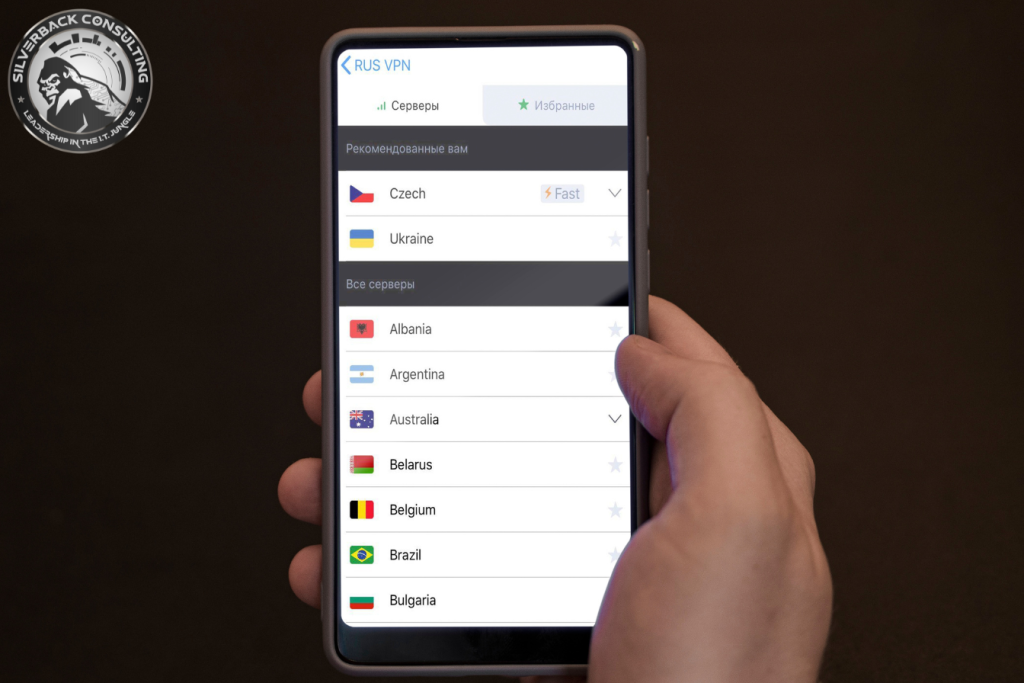
In addition to encrypting data, a VPN masks your IP address. Every device connected to the Internet has an identifier called an IP address. By connecting to a VPN server, your actual IP is replaced with the server's IP, making it difficult for websites, advertisers or malicious actors to track your online activities.
Location Spoofing
Fortinet notes that a VPN can mask a user's true location to whatever country they choose, enabling access to content that would otherwise be restricted. For example, a user in the United States can set their location to the United Kingdom, or a traveler can watch their home country's streaming services while abroad.
Types of VPNs
VPNs are not one-size-fits-all; different types serve different purposes:
Personal VPN
Designed for individual users, personal VPNs encrypt internet traffic, hide your IP address and provide secure access to online content for privacy-conscious individuals and travelers.
Mobile VPN
Maintains a secure connection on smartphones and tablets even when switching between networks or experiencing intermittent connectivity.
Remote-Access VPN
Popular among remote workers, these provide encrypted access to corporate systems, extending a private network across the Internet to remote users.
Site-to-Site VPN
Connects multiple networks—for example, branch offices to headquarters—through a secure tunnel, within one organization or between different organizations.
Cloud-Based VPN
Offers secure access to cloud services, managed by cloud providers, with scalability and simplified management.
VPN Gateway
A dedicated device that manages VPN connections between two networks, acting as a central point for managing encrypted traffic.
Understanding these types helps you choose the right solution for personal privacy or corporate connectivity.
Key VPN Protocols and Standards
The choice of protocol determines how a VPN connection is secured and the balance between speed and encryption. Common protocols include:
PPTP (Point-to-Point Tunneling Protocol)
One of the oldest protocols. Although fast and simple to deploy, it has several known security issues and is only suitable for older systems.
L2TP/IPsec
Combines Layer 2 Tunneling Protocol with IPsec to provide a stronger tunnel with encryption.
SSTP (Secure Socket Tunneling Protocol)
Uses SSL/TLS to transport traffic, providing encryption and key negotiation.
OpenVPN and IKEv2
Modern services use these to balance speed, reliability and security. Some providers also deploy proprietary protocols, such as Lightway, that optimize performance while maintaining robust encryption.
Selecting a protocol affects your VPN's performance and security. OpenVPN offers strong security and cross-platform compatibility, whereas WireGuard is noted for its efficiency and speed.
Benefits of Using a VPN
A VPN offers a wide range of benefits that enhance privacy, security and freedom:
Protecting Browsing History
ISPs and web browsers can track your online activities and share or sell this data to advertisers. A VPN keeps search information private and prevents targeted advertising.
Securing IP Address and Location
By using IP addresses that do not belong to you, a VPN prevents others from connecting your browsing history with your real IP address.
Hiding Streaming Location
VPNs let you access streaming libraries from different countries, circumvent geo-blocking, and avoid ISP throttling.
Protecting Devices on Public Wi-Fi
VPNs protect laptops, smartphones and tablets from cybercriminals who target public Wi-Fi networks.
Ensuring Online Freedom
VPNs help users avoid surveillance and censorship. As long as the provider does not log user activity, individuals can browse freely.
Enhanced Online Privacy
The encrypted tunnel masks activity from ISPs and advertisers and keeps sensitive transactions like online banking confidential.
Bypassing Geo-Restrictions
VPNs let users bypass geo-restrictions on streaming services or websites by virtually relocating their IP address.
Defending Against Cyber Threats
VPNs mitigate risks associated with unsecured networks and man-in-the-middle attacks by creating a secure tunnel for data transmission.
Drawbacks and Limitations of VPNs
While VPNs are powerful, they have limitations. Cloudflare highlights several challenges:
Single Point of Failure
If an attacker gains access to a VPN account, they can access all resources behind that VPN—sometimes called the "castle-and-moat" model. Zero-Trust frameworks aim to reduce this risk by treating every connection as untrusted until verified.
Management Complexity
Large organizations often require multiple VPNs for different user groups, making management labor-intensive.
Lack of Granularity
VPNs typically grant broad access to all resources within a network segment; fine-grained access control is difficult to implement through VPNs alone.
Performance Overhead
Encryption and routing through a VPN server add latency. Choosing the right server and protocol helps mitigate performance impacts.
When and Why to Use a VPN
VPNs are versatile and beneficial in various scenarios:
Traveling
Stay connected to your usual websites and services, and circumvent censorship, as if you were still at home.
Streaming
By hiding your IP address and routing traffic through different countries, VPNs help you enjoy secure, uninterrupted streaming on platforms like Netflix, Hulu and Amazon.
Public Wi-Fi
Public hotspots expose your personal information to cyber threats. A VPN encrypts your connection, protecting your data from hackers.
Gaming and File-Sharing
VPNs can reduce gaming lag, protect against DDoS attacks, and provide anonymity for peer-to-peer file sharing.
Remote Work
Remote workers rely on VPNs to securely access corporate resources and protect sensitive business information.
How to Choose the Right VPN
Selecting a reliable VPN service is crucial. Consider these factors:
Security Features
Look for strong encryption protocols, no-logs policies and additional security measures. Protocols like OpenVPN or IKEv2/IPsec are considered secure.
Server Locations
A large and diverse server network helps you bypass geo-restrictions more effectively and find optimal performance.
User-Friendly Interface
Choose a service with intuitive software and easy configuration options.
Cost and Pricing Plans
Evaluate whether free versions meet your needs or if premium plans provide better functionality.
Trustworthiness
Research whether the provider has a proven record of protecting user privacy and operates in a jurisdiction with strong privacy laws. Many experts also recommend services audited by third parties.
Conclusion
A Virtual Private Network is more than just a buzzword; it is a sophisticated technology that encrypts data, masks IP addresses and creates secure tunnels through untrusted networks.
In a world where online privacy and security are increasingly threatened, understanding how does a VPN work and the true VPN meaning empowers you to protect yourself and your organization.
At Silverback Consulting, we believe that VPNs are an essential part of a layered cybersecurity strategy. They offer privacy, enable remote work and help bypass content restrictions. However, they must be used responsibly and supplemented with other security measures such as multi-factor authentication and Zero-Trust access controls.
If you're unsure which VPN is right for you or how to implement one in your business, our cybersecurity experts can help you design a solution tailored to your needs.
Frequently Asked Questions
How does a VPN work with a router?
A VPN router encrypts traffic for every device on your network, so you don't need to install a VPN app on each device individually.
How does a VPN work on Android?
On Android, a VPN app encrypts your internet traffic and routes it through secure servers, protecting your browsing and app data.
How does a VPN app work?
A VPN app creates a secure “tunnel” between your device and the internet, masking your IP address and encrypting your online activity.
How do VPN servers work?
VPN servers act as intermediaries. They replace your IP address with theirs and encrypt your data, making it unreadable to outsiders.
How does a VPN connection work?
A VPN connection uses encryption protocols to create a secure path between your device and the server, shielding your activity from hackers or snoops.
What does VPN actually mean for my business security?
A VPN strengthens business security by protecting sensitive data, enabling secure remote access, and reducing risks of breaches.
I keep hearing about VPNs. Do I really need one if I just check email at work?
Yes. Even simple email use can expose passwords or client data on unsecured networks. A VPN adds a vital layer of protection.
Is a VPN the same thing as just using a private browser mode?
No. Private browsing hides history on your device, while a VPN hides and encrypts your activity from outsiders like ISPs and hackers.
How does a VPN really work when I connect on hotel Wi-Fi?
It secures your traffic so hackers on the same Wi-Fi can't intercept logins, emails, or files you send.
Does a VPN actually hide my IP address from hackers?
Yes. Your IP is replaced by the VPN server's IP, making it harder for hackers to track you.
If I use a VPN, can my internet provider still see what I'm doing?
They can see you're using a VPN, but not the websites you visit or the data you send.
Is my company data safe if employees log in from coffee shops?
With a VPN, yes. It encrypts data so public Wi-Fi threats are neutralized.
What if my team works remote—does a VPN protect their access?
Absolutely. VPNs let remote teams securely connect to company systems without exposing sensitive data.
Can a VPN stop someone from stealing my passwords on public Wi-Fi?
Yes. Encrypted VPN traffic makes stolen data unreadable to cybercriminals.
Do I need a VPN to meet compliance rules for client data?
In many industries, yes. VPNs help meet HIPAA, PCI, and GDPR requirements for secure data handling.
How do small businesses protect sensitive files without spending a fortune?
A managed VPN solution is cost-effective compared to the cost of a data breach or compliance fine.
Is a VPN enough for HIPAA or financial compliance?
A VPN is part of the solution but should be combined with other safeguards like firewalls and access controls.
What's better for my small business: VPN or just antivirus software?
Both serve different purposes. Antivirus stops malware, while a VPN protects data in transit. You need both for full protection.
Do I still need a firewall if I install a VPN?
Yes. Firewalls block unauthorized access, while VPNs secure your connection. Together they provide stronger security.
Is a VPN better than just using password managers for security?
They do different jobs. Password managers protect logins, while VPNs protect the entire data stream. Best results come from using both.
How much does it cost to set up a secure VPN for my business?
Costs vary by size and needs, but managed VPN solutions are affordable compared to security risks.
Are free VPNs safe, or should I pay for a professional setup?
Free VPNs often have weak security and may log data. Paid or managed solutions are safer for business use.
Will investing in a VPN save me from bigger security costs later?
Yes. A VPN can prevent breaches, fines, and downtime that would cost far more than the setup.
Protect Your Data Today with Silverback Consulting
Don’t leave your online security to chance. Our experts can help you understand how VPNs safeguard your privacy and set you up with the right cybersecurity solutions.